Screen Recording Software: A Complete Guide to Capturing Your Screen Effortlessly
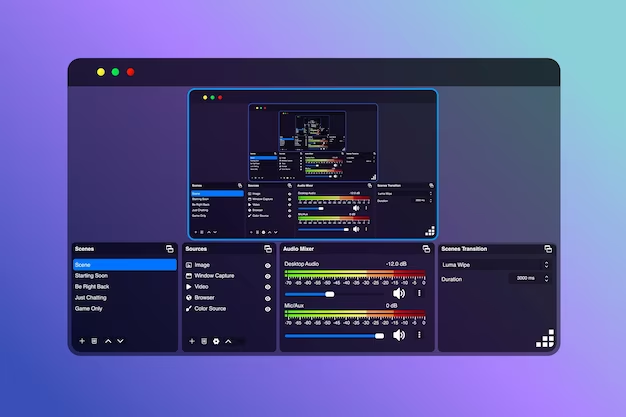
In today’s digital world, screen recording software has become an essential tool for professionals, educators, and content creators alike. Whether you're creating tutorials, recording gameplay, or preparing presentations, having the right screen recording software can make all the difference. In this article, we’ll explore the benefits, features, and top options for screen recording software to help you choose the best one for your needs.
Why Use Screen Recording Software?
Screen recording software allows you to capture everything happening on your computer screen, making it ideal for:
Creating tutorials and how-to guides: Show step-by-step instructions and visually explain complex concepts.
Recording presentations: Perfect for online meetings or webinars.
Gaming content: Record high-quality gameplay for streaming or sharing with others.
Problem-solving: Document bugs or issues for technical support.
The convenience and flexibility provided by screen recording software make it a must-have for anyone looking to share their screen content.
Key Features to Look for in Screen Recording Software
When choosing screen recording software, consider the following essential features:
High-quality recording: Look for software that offers HD or 4K resolution for crisp, clear visuals.
Audio support: Ensure the software allows both system sound and microphone input.
Editing tools: Basic editing features like trimming, annotations, and text overlays can enhance your recording.
Ease of use: A user-friendly interface will help you get started quickly.
File format options: Ensure the software supports various output formats for flexibility.
Top Screen Recording Software Options
OBS Studio
A free, open-source tool, OBS Studio is ideal for gamers and professionals alike. It allows for high-quality recording and streaming with a variety of customization options. Its flexibility and no-cost nature make it a top choice for many.Camtasia
For users looking for an all-in-one solution, Camtasia is a premium screen recording software that offers powerful editing tools and intuitive recording features. It’s perfect for creating polished, professional videos.Bandicam
Bandicam is known for its ability to capture high-quality video with minimal lag. It’s an excellent option for gamers and those who want to record in high-definition.Snagit
If you need simple and efficient screen recording software, Snagit is the way to go. It’s ideal for capturing quick tutorials or screenshots and comes with built-in editing tools for fast adjustments.
How to Choose the Best Screen Recording Software for You
The best screen recording software will depend on your specific needs:
For gamers: Look for software with high performance and low latency, such as OBS Studio or Bandicam.
For educators: Software with strong editing features like Camtasia can help create engaging educational videos.
For professionals: If you need to record presentations or meetings, Snagit or Camtasia can provide high-quality, easy-to-edit results.
Conclusion
Whether you're creating educational content, recording gameplay, or documenting issues, screen recording software offers a versatile solution for capturing and sharing your screen. By considering your specific requirements, you can find the perfect software to suit your needs and enhance your productivity.